

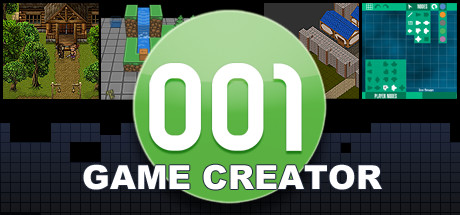
Description
Download 001 Game Creator Demo – game creator, game development tool, visual scripting, drag and drop, game engine, PC game, Windows, free download, full version, beginner-friendly, online multiplayer, local multiplayer, adventure, action, simulator
Overview
001 Game Creator is a graphically assisted scripting engine designed to support both novice and experienced developers in the creation of interactive digital experiences. The tool enables users to rapidly prototype ideas, test intricate systems, and develop single-player and multiplayer games across multiple platforms. Built with accessibility in mind, it caters to individuals exploring game development for the first time while also offering robust capabilities for more advanced creators. The engine supports a wide range of output formats, including Windows PC, Steam Deck, HTML5, Android, and iOS, making it a versatile choice for cross-platform development. The publisher has not shared detailed story information, as this is a development tool rather than a playable game. Instead, its core value lies in empowering creators to build their own games, whether they are designing adventure, action, or simulation experiences. The intended audience includes students, indie developers, educators, and hobbyists interested in learning or streamlining the game creation process. It aligns with modern expectations of user-friendly development environments that prioritize speed and flexibility.
Gameplay & Core Mechanics
The gameplay experience of 001 Game Creator is defined by its role as a development environment rather than a traditional game. Users interact with a drag-and-drop interface and visual scripting system to construct game logic, manage assets, and define interactions. This approach allows for intuitive system design without requiring deep knowledge of programming languages. The engine includes a built-in physics engine to simulate realistic movement, collisions, and object behaviors, which is essential for creating dynamic gameplay scenarios. Support for multiple input devices—such as gamepads, keyboards, and touchscreens—ensures that projects can be tested across various hardware configurations. The tool also facilitates the creation of both online and local multiplayer experiences, enabling developers to experiment with networked gameplay mechanics. While specific gameplay modes, levels, or missions are not part of the engine itself, users can implement these elements within their own projects. The developer did not provide additional gameplay details beyond the core functionality. No official performance benchmarks were provided, and the exact technical requirements were not listed.
Key Features
- Drag-and-drop interface for intuitive project building
- Visual scripting system to create game logic without code
- Integrated physics engine for realistic object interactions
- Support for single-player and multiplayer game development
- Multi-platform export including Windows, Steam Deck, HTML5, Android, and iOS
- Compatibility with gamepads, keyboards, and touchscreen inputs
- Designed for both beginner and advanced game developers
Graphics, Audio & Performance
001 Game Creator provides a clean and functional visual environment tailored for development rather than final presentation. The interface is designed to minimize clutter and maximize usability, with clear layout options for managing scenes, assets, and scripts. While the engine supports high-quality visuals, the final graphical output depends entirely on the user’s project design. Animations and effects are generated through the engine’s built-in tools, allowing developers to create dynamic sequences and transitions. The audio system enables integration of sound effects and background music, though detailed sound design capabilities were not disclosed. No official performance benchmarks were provided, and the engine’s stability under heavy workloads remains unverified. The developer did not list minimum system requirements, so users are advised to consult official sources for compatibility guidance. Platform-specific enhancements were not disclosed, but the tool’s multi-platform support suggests adaptability across different environments.
Platform Compatibility & Requirements
001 Game Creator is available on Windows, Steam Deck, HTML5, Android, and iOS platforms. The tool supports a broad range of devices, allowing developers to build and test games across desktop, handheld, and mobile environments. The release version was launched on May 20, 2024. The price for the full version is $29.99. The developer did not list minimum system requirements. Compatibility details were not fully provided. Users should verify device specifications before installation. The engine is designed to run on modern systems, but exact OS versions and hardware needs remain unspecified. No information was shared about cloud integration or subscription models. The tool is intended for developers who wish to create games for multiple platforms using a unified workflow.
Pros and Cons
Pros
- Beginner-friendly drag-and-drop interface for easy learning
- Visual scripting eliminates the need for traditional coding
- Supports both online and local multiplayer game creation
- Multi-platform export including PC, mobile, and web
- Compatibility with a wide range of input devices
- Efficient prototyping for rapid idea testing
- Designed for both new and experienced developers
Cons
- No official performance benchmarks were provided
- Exact technical requirements were not disclosed
- Platform-specific enhancements were not detailed
- Final visual and audio quality depends entirely on user implementation
- Limited public documentation on advanced features
- Price may be high for casual hobbyists without project goals
FAQ Section
Is the game safe to download?
Yes, 001 Game Creator is a legitimate development tool distributed by its official publisher. As with any software, ensure you download from the verified source to avoid third-party modifications.
Is it beginner-friendly?
Yes, the engine features a drag-and-drop interface and visual scripting, making it accessible to users with little to no programming experience. It is designed to help beginners learn game development fundamentals.
Does it receive updates?
While the developer has not specified an update schedule, tools of this nature typically receive regular updates to improve stability, add features, and support new platforms.
What platforms support it?
001 Game Creator supports Windows, Steam Deck, HTML5, Android, and iOS. Developers can build games for these platforms using a single project.
Does the game require an internet connection?
Basic functionality does not require an internet connection after installation. However, some features such as account login or cloud syncing may require connectivity.
Final Thoughts
001 Game Creator stands out as a powerful, accessible tool for anyone looking to enter the world of game development. Its visual scripting and drag-and-drop interface lower the barrier to entry, while its multi-platform capabilities offer flexibility for creators aiming to reach diverse audiences. Whether building an adventure, action, or simulation experience, users gain the ability to prototype quickly and deploy across devices. The engine’s support for both online and local multiplayer opens doors for collaborative and competitive gameplay concepts. While technical details such as system requirements and performance metrics remain undisclosed, the tool’s design philosophy prioritizes usability and creativity. It is ideal for students, educators, indie developers, and hobbyists seeking a streamlined path from idea to playable prototype. In a competitive landscape of development tools, 001 Game Creator delivers a compelling balance of simplicity and power. Download 001 Game Creator now.
Guides & Tutorials for 001 Game Creator Demo
How to install 001 Game Creator Demo
- Click the Preview / Download button above.
- Once redirected, accept the terms and click Install.
- Wait for the 001 Game Creator Demo download to finish on your device.
How to use 001 Game Creator Demo
This software is primarily used for its core features described above. Open the app after installation to explore its capabilities.
User Reviews for 001 Game Creator Demo 0
No reviews found




